Stock & Price Display
Stock Indicators
Stock availability is displayed as a colored dot in the Stock column:
- 🟢 Green — In stock (quantity above the low-stock threshold)
- 🟠 Orange — Low stock (quantity below the threshold but still available)
- 🔴 Red — Out of stock
Hover over the dot to see the exact stock quantity in a tooltip.
Out-of-stock products may appear greyed out in the grid (depending on store configuration) to visually distinguish them from available products.
Price Display
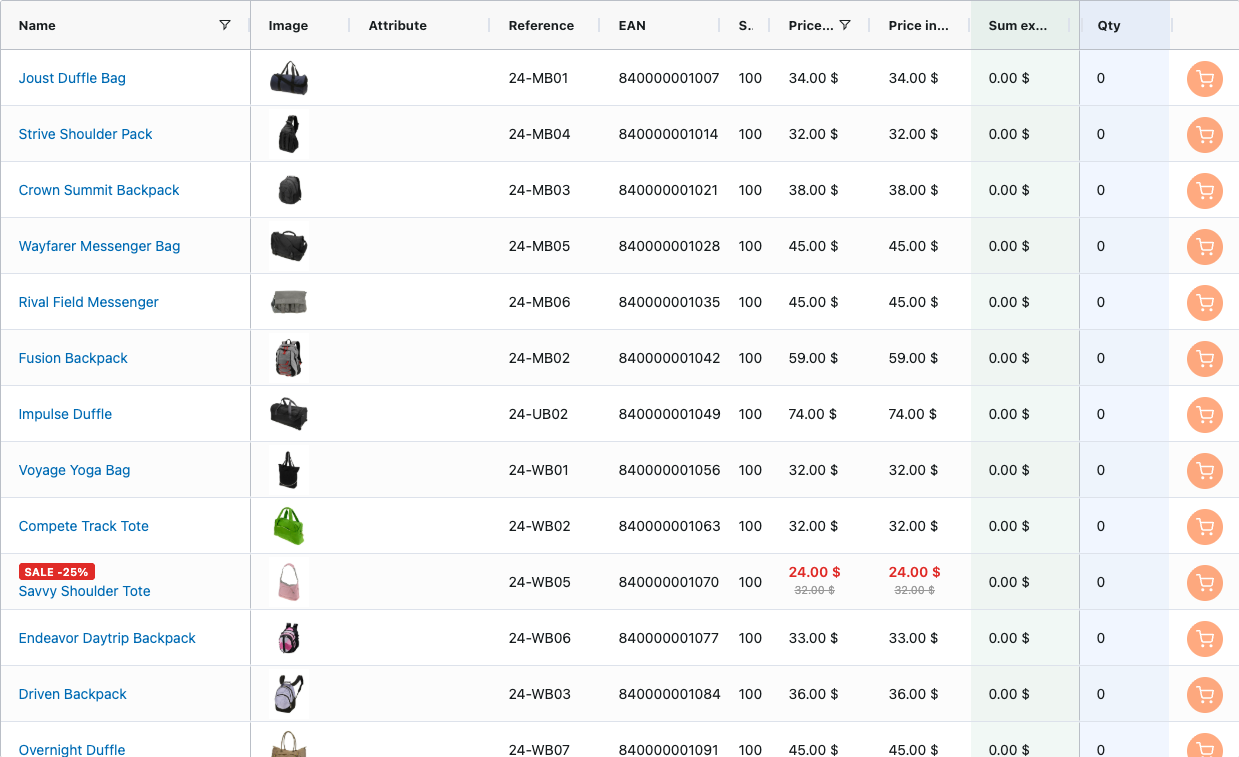
Prices are displayed based on your store's tax configuration:
- Price (excl. VAT) — Always shown. Displays the unit price before tax.
- Price (incl. VAT) — Shown when the store is configured to display prices including tax.
- Sum columns — Calculate the row total (quantity × unit price) in real time for both tax modes.
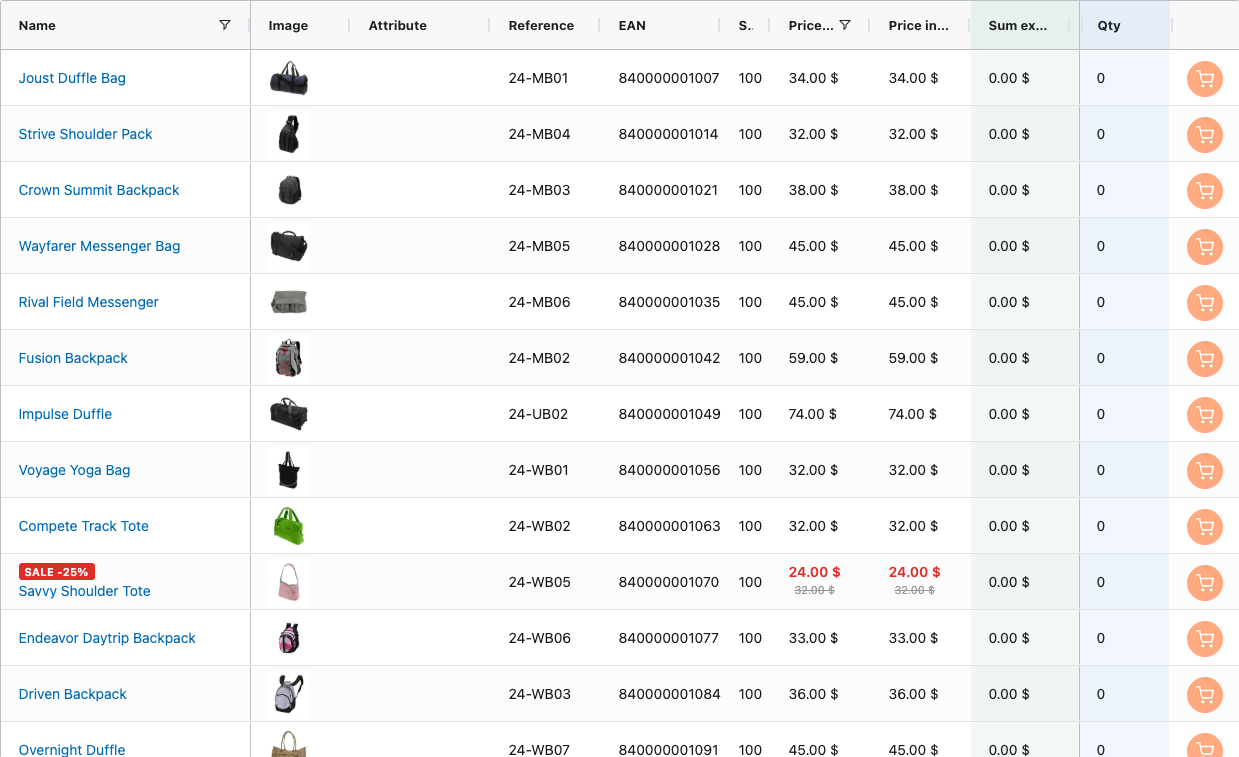
Discounted products show:
- The current (discounted) price
- The original price crossed out
- The discount percentage in red (e.g., "-15%")
Product Badges
Products may display badges in the Product Name column:
- New — Indicates recently added products (based on the "Set Product as New" date range in Magento)
- Sale — Indicates products with active special prices, with the discount percentage shown (e.g., "Sale -20%")