4. Bank accounts
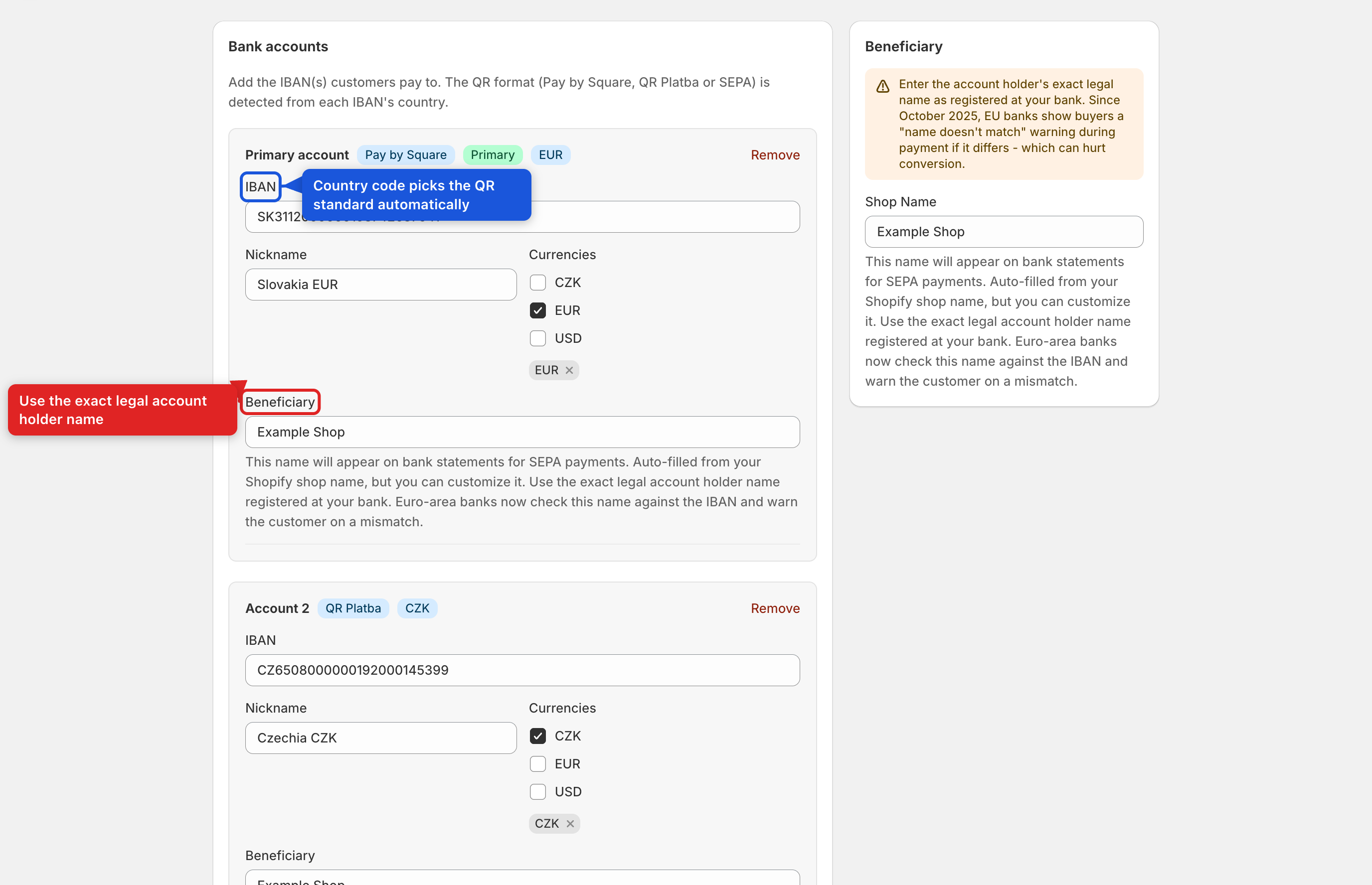
Open Bank accounts in the app navigation.
| Field | What it does | Required? |
|---|---|---|
| IBAN | The account customers pay into. Its country code determines the QR standard automatically (a badge next to the account name shows which one). Validated with a full IBAN checksum as you type. | Yes |
| BIC / SWIFT | The beneficiary bank's identifier. The field only appears when the detected standard needs it. | Required for Hungarian and Finnish IBANs, and for non-EEA SEPA IBANs (e.g. GB, GI, MC, SM, AD, VA, MD, ME, MK, RS, AL). Optional elsewhere. Note: Switzerland (CH) and Liechtenstein (LI) are not covered by any QR standard here — see Section 10. |
| Nickname | An internal label to tell accounts apart. Only shown once you have multi-account access, or if already set. | No |
| Currencies | Which order currencies should route to this account (multi-IBAN currency routing). Only shown on Pro+ plans, or if already set. | No |
| Account holder / beneficiary name | The legal name shown to the payer. Defaults to your Shopify shop name if left blank. | No (but see the warning below) |
Important — use your exact legal account holder name. Since October 2025, EU banks compare this name against the IBAN during payment and show the buyer a "name doesn't match" warning if it differs, which can hurt conversion.
Free and Starter plans are limited to one bank account; adding a second requires the Pro plan (currency routing) — the "Add account" button shows an upgrade link instead of adding a row until then. Removing an account (or leaving the IBAN blank) drops it on save; the first account in the list is always your primary account and receives orders in currencies no other account claims.