6. Templates & preview
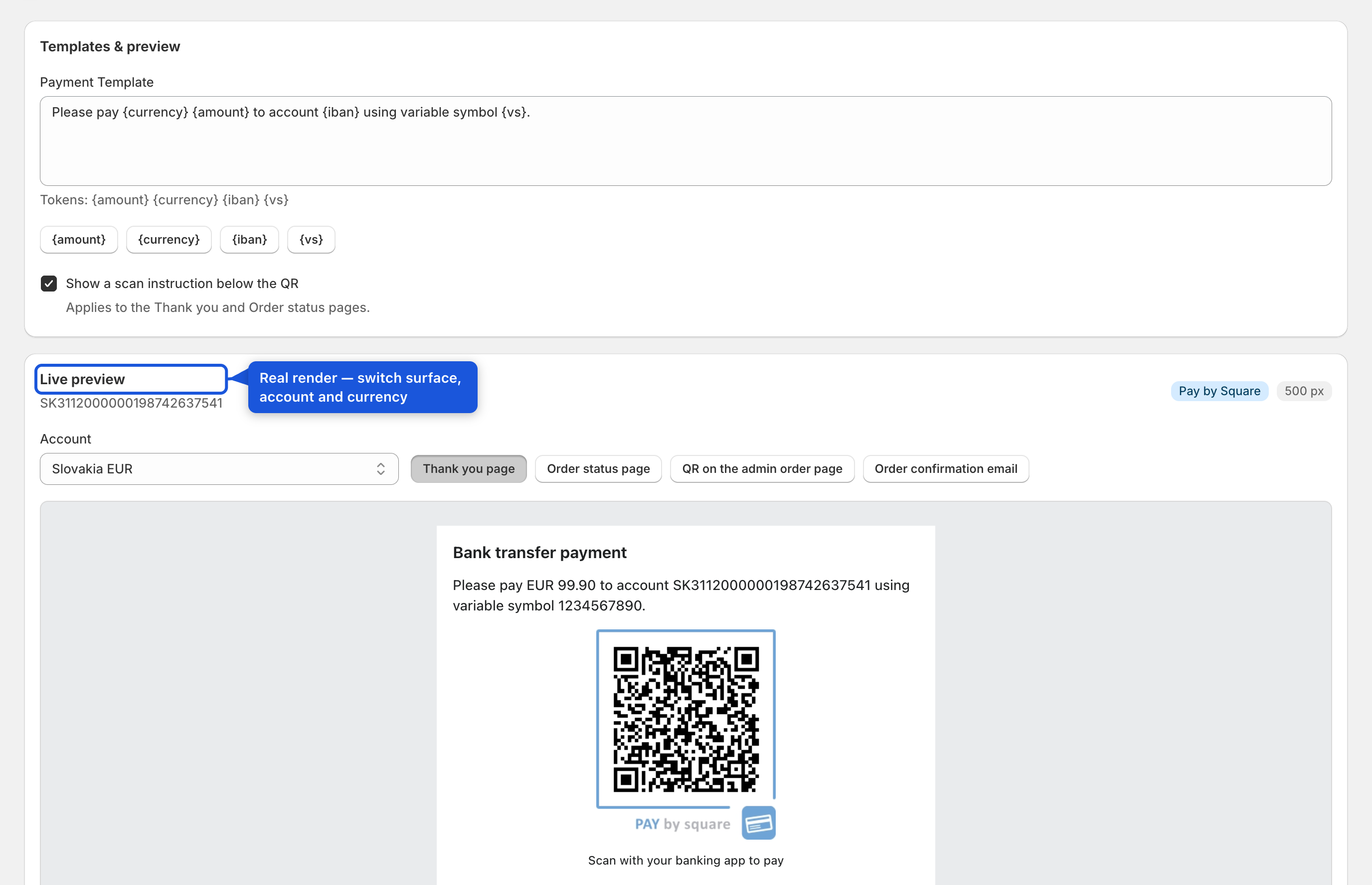
Open Templates & preview. Here you can:
- Edit the instruction text shown alongside the QR, using the tokens
{amount},{currency},{iban}and{vs}(insert-token buttons are provided; all four tokens are required for the text to save). - Toggle the "Scan to pay" hint shown under the QR.
- Preview exactly what customers will see, switching between the Thank you, Order status, admin order, and email surfaces, and — if you have more than one bank account or currency — between accounts/currencies. The preview uses a real sample amount and reference and is generated by the same code that renders the live checkout QR, so what you see here is what ships.