9. CSV import
Upload a CSV of identifiers and quantities to fill the grid in bulk.
- Click Import CSV and pick a file (max 5,000 rows; separators
;,,or tab are auto-detected; Shopify's own product CSV export works out of the box). - In the mapping dialog, confirm the separator and map each column to SKU, Barcode, Product name, Quantity, or — skip —.
- Click Import (enabled once at least one identifier column and Quantity are mapped).
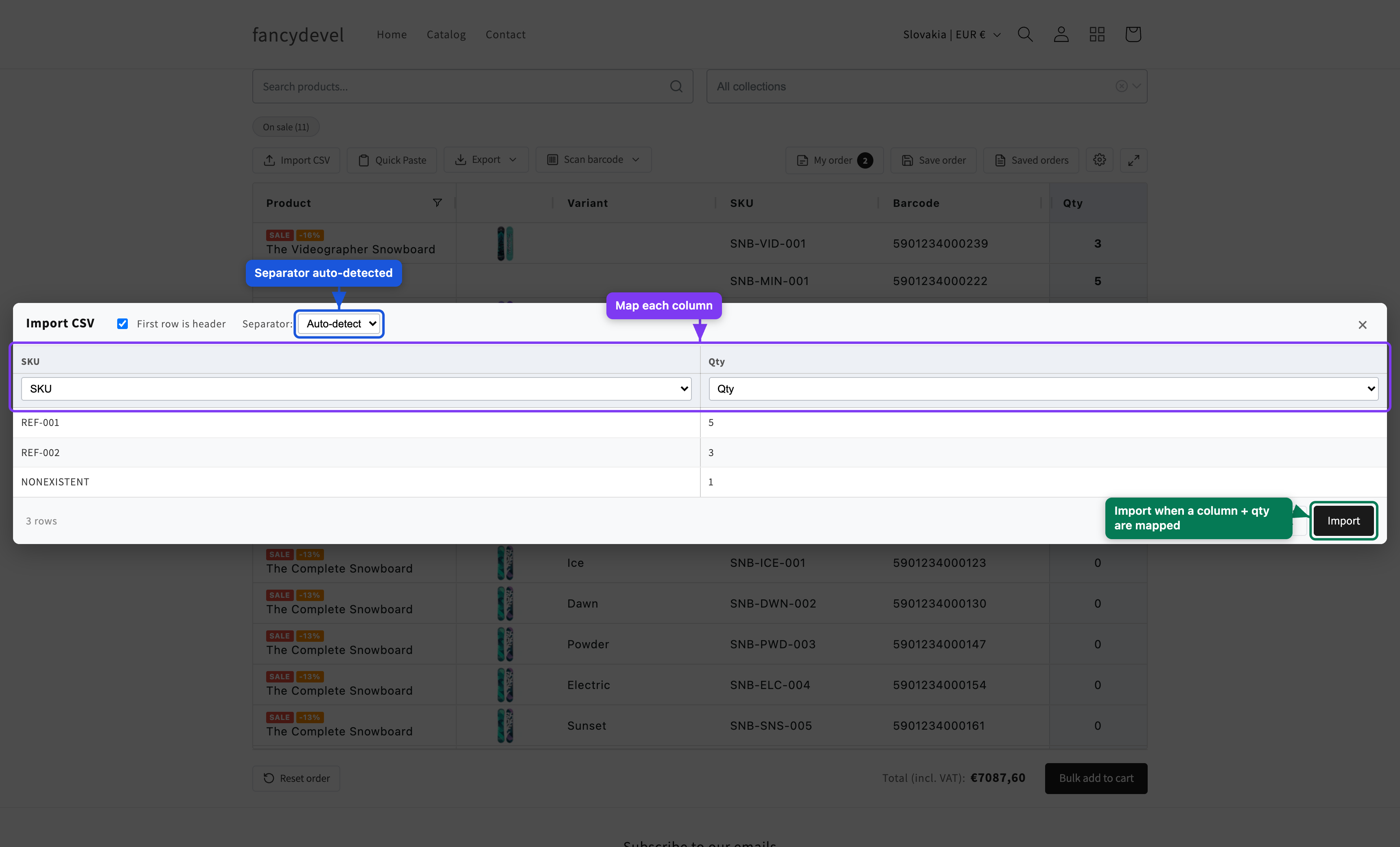
The app matches in your browser, cascading SKU → Barcode → Product name (matching is case-insensitive). A toast summarizes the result: how many matched, weren't found, or were duplicates. Matched rows get their Qty filled in.